iOS app
Project: Redbean - AI Gamemaker app
Year: 2025
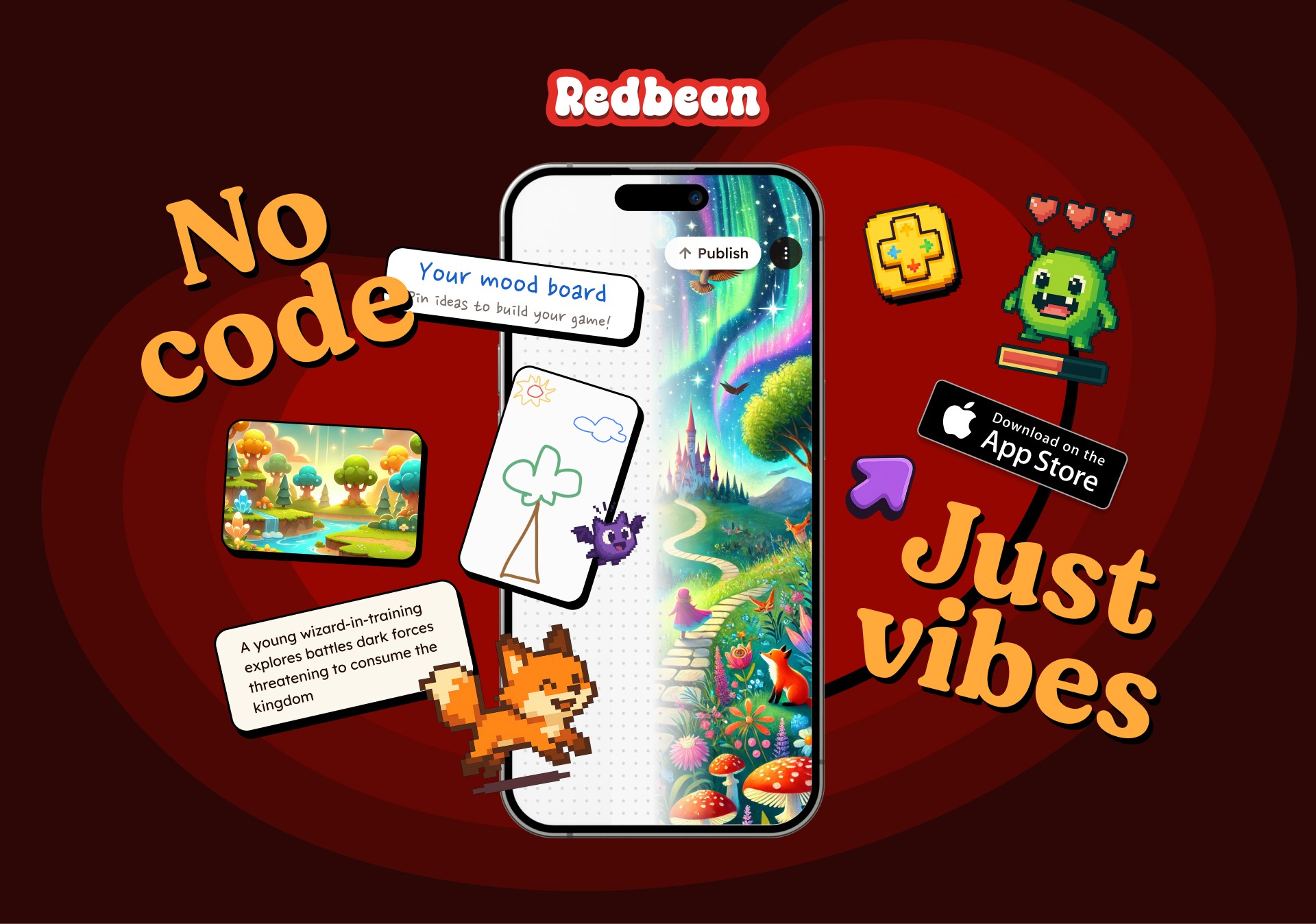
The UX Challenge
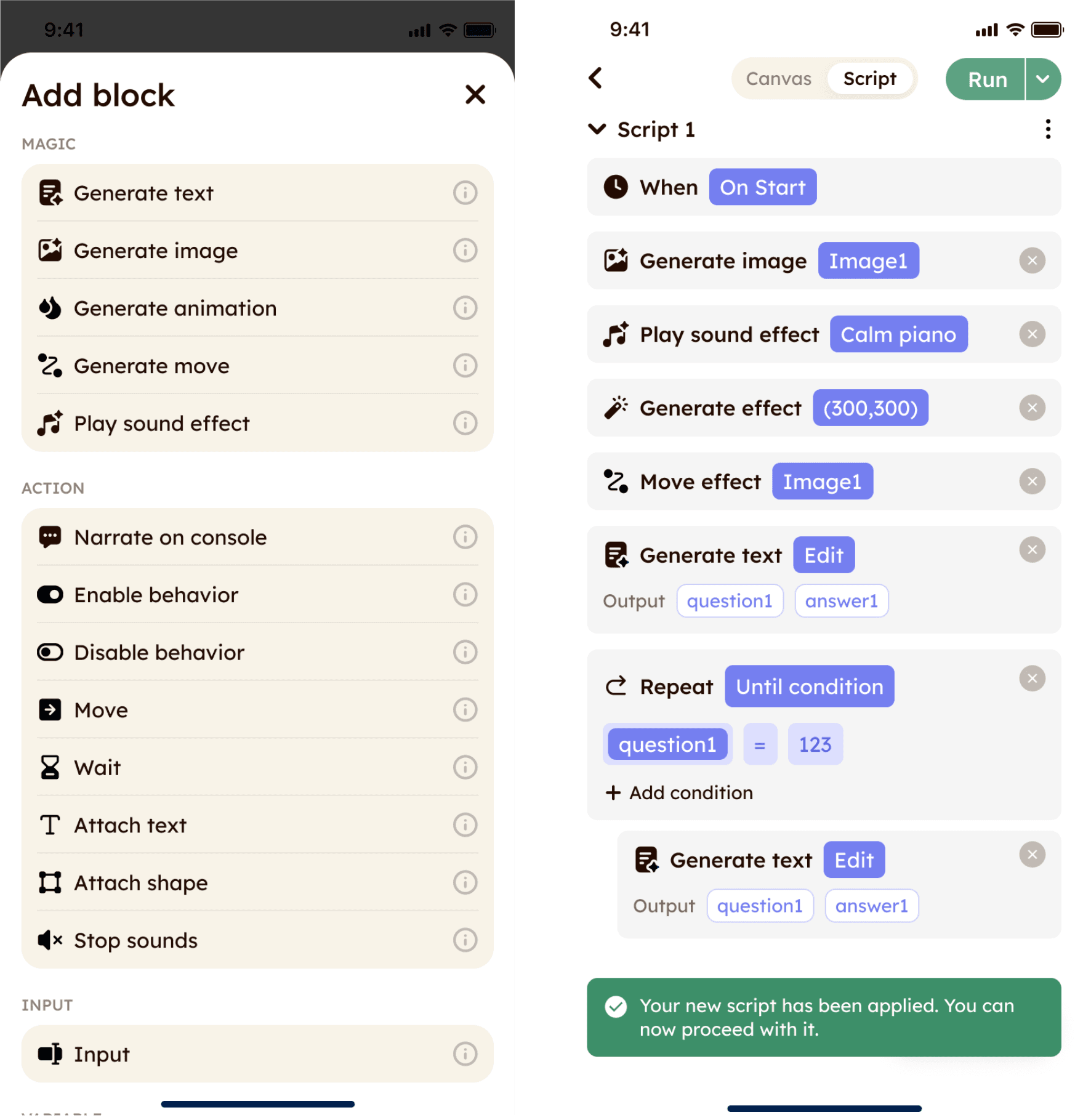
Redbean originally was a game-maker app that relied on a manual, node-based "coding-lite" block system for game building. However, data showed that users found this logic system too complex, causing massive drop-off rates.
To fix this, the team decided to pivot to a Generative AI-first ecosystem. However, traditional text-prompt AI models present a different UX barrier: they require long, highly specific text prompts. Young users often struggle with these, resulting in chat fatigue and creative blocks.
The challenge was to design an AI first interface that has friendly and natural experience enough to allows young creators to build interactive games and characters easily.
The Solution
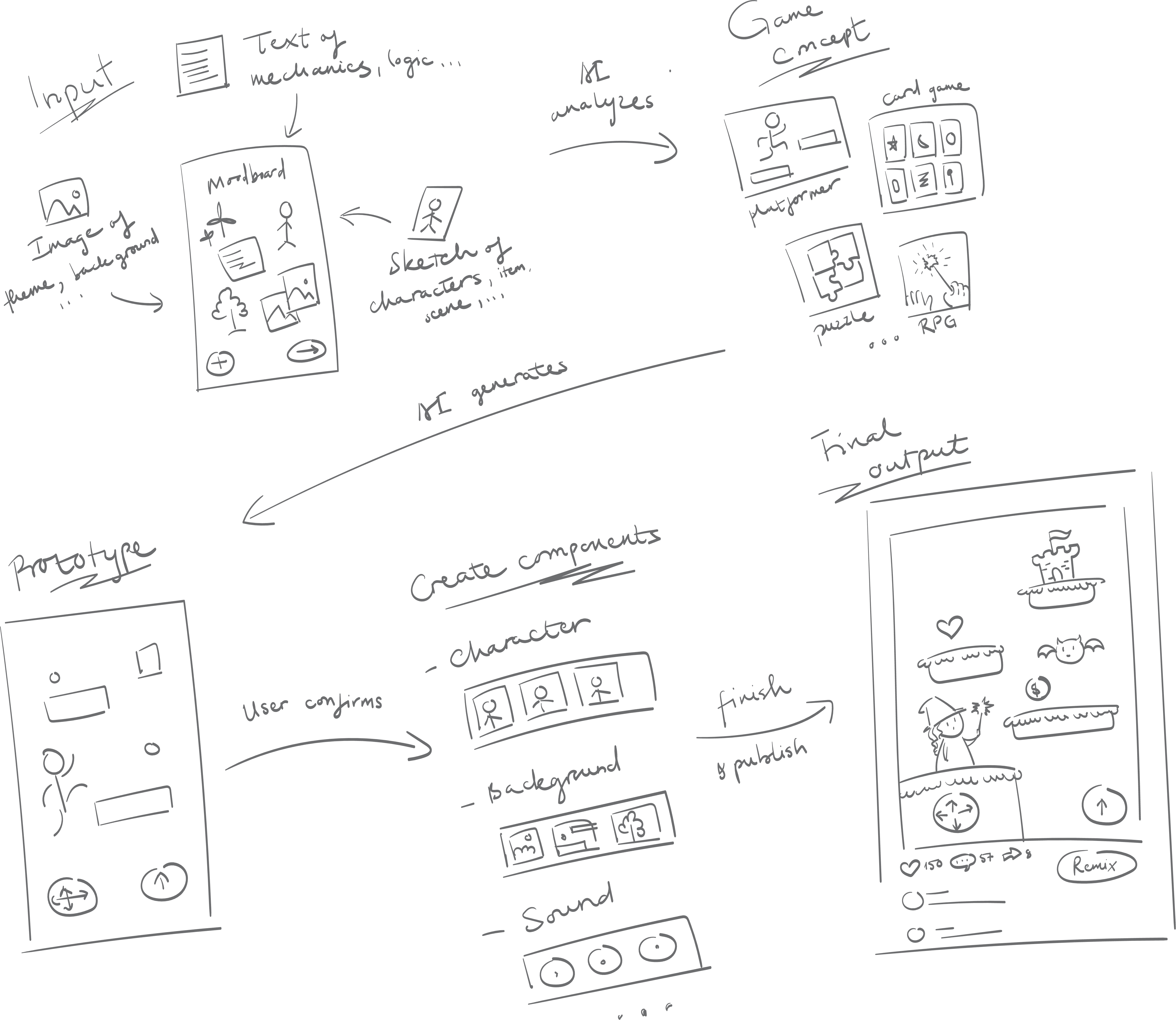
To make this completely accessible, I built a multi-phase interaction model that replaces heavy typing with tactile, visual inputs.
The Interactive Moodboard (The Entry Point)
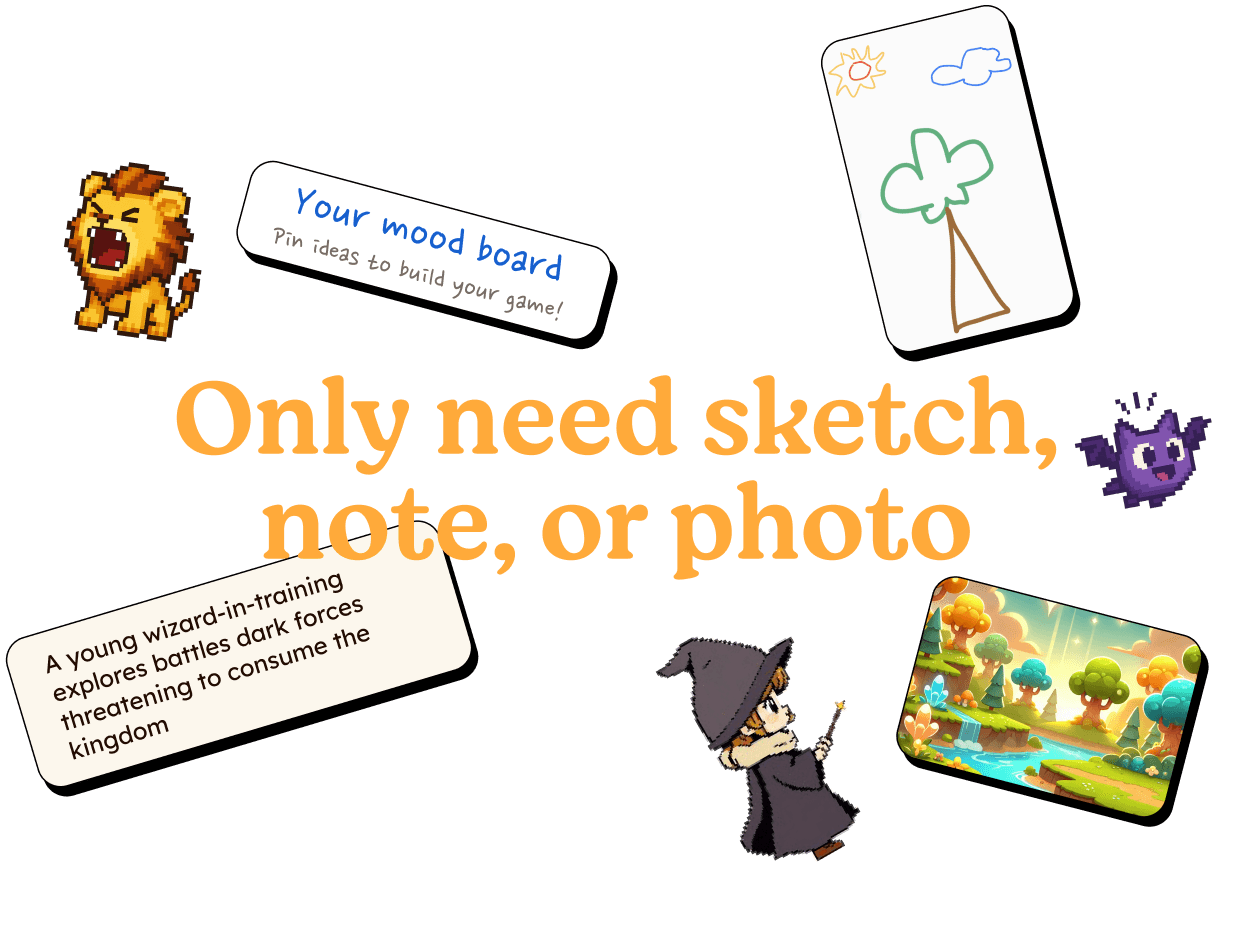
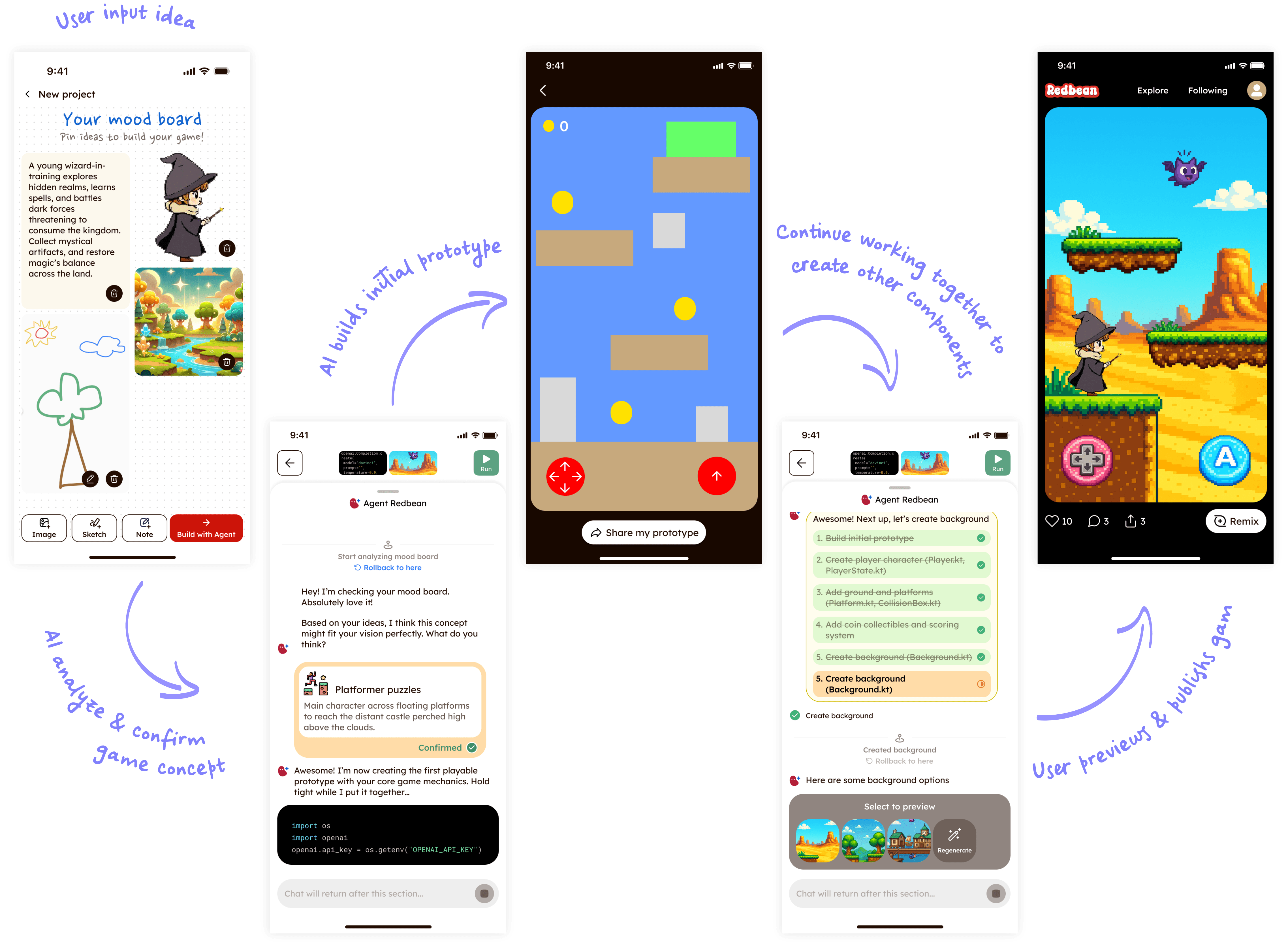
Instead of a blank text box, the user starts with a flexible, canvas-like visual workspace. Users tap to drop in rough sketches, reference images, mood notes, or single keywords to describe their dream world.
Step-by-Step Mini-Agent Co-Creation
To build out detailed layers of the world without overwhelming the user, the app utilizes specialized AI agents that act as step-by-step guides. The UI handles these as distinct, manageable milestones:
The Character Agent
The Sound Agent
The Story Agent
…
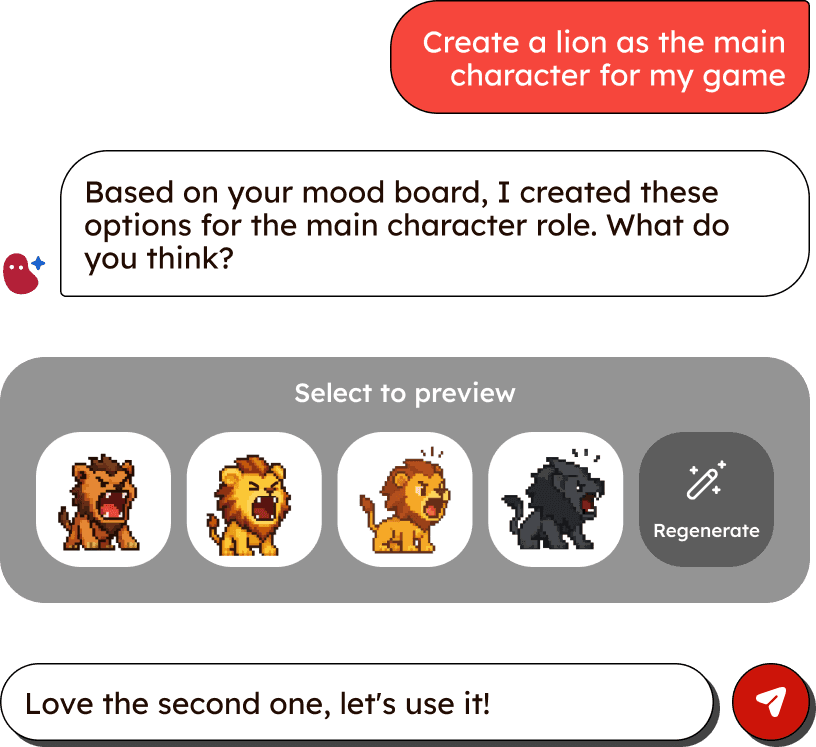
Instant Playable Prototypes
The moment the user finishes their input, the AI instantly interprets the genre (e.g., a pixel platformer, a cozy RPG town, or a puzzle game) and spins up an immediate, playable test screen. This provides instant gratification, letting the user play a basic version of their concept within seconds.
not ux design but maybe you wanna take a look
not ux design but maybe you wanna take a look
not ux design but maybe you wanna take a look
not ux design but maybe you wanna take a look
not ux design but maybe you wanna take a look
not ux design but maybe you wanna take a look

1. The Interactive Moodboard (The Entry Point)
Instead of a blank text box, the user starts with a flexible, canvas-like visual workspace. Users tap to drop in rough sketches, reference images, mood notes, or single keywords to describe their dream world.
1. The Interactive Moodboard (The Entry Point)
Instead of a blank text box, the user starts with a flexible, canvas-like visual workspace. Users tap to drop in rough sketches, reference images, mood notes, or single keywords to describe their dream world.